Testimonials section
The Testimonials section in Seventh is a Custom grid preset of testimonial cards with quotes, authors and star ratings, as a slider or editorial grid.
Applies to: Seventh 4.0.0 and later. Added in: Seventh 1.0.0. Last checked: 2026-10-12 against Seventh 4.0.0.
The Testimonials section shows customer quotes with a star rating and the author's name, in a slider or a scattered grid, on any page of the store. It is a preset of the Custom grid section, with testimonial cards already filled in.
Where to find it: select Add section in the theme editor, then choose Testimonials: slider or Testimonials: editorial in the Brand trust category.
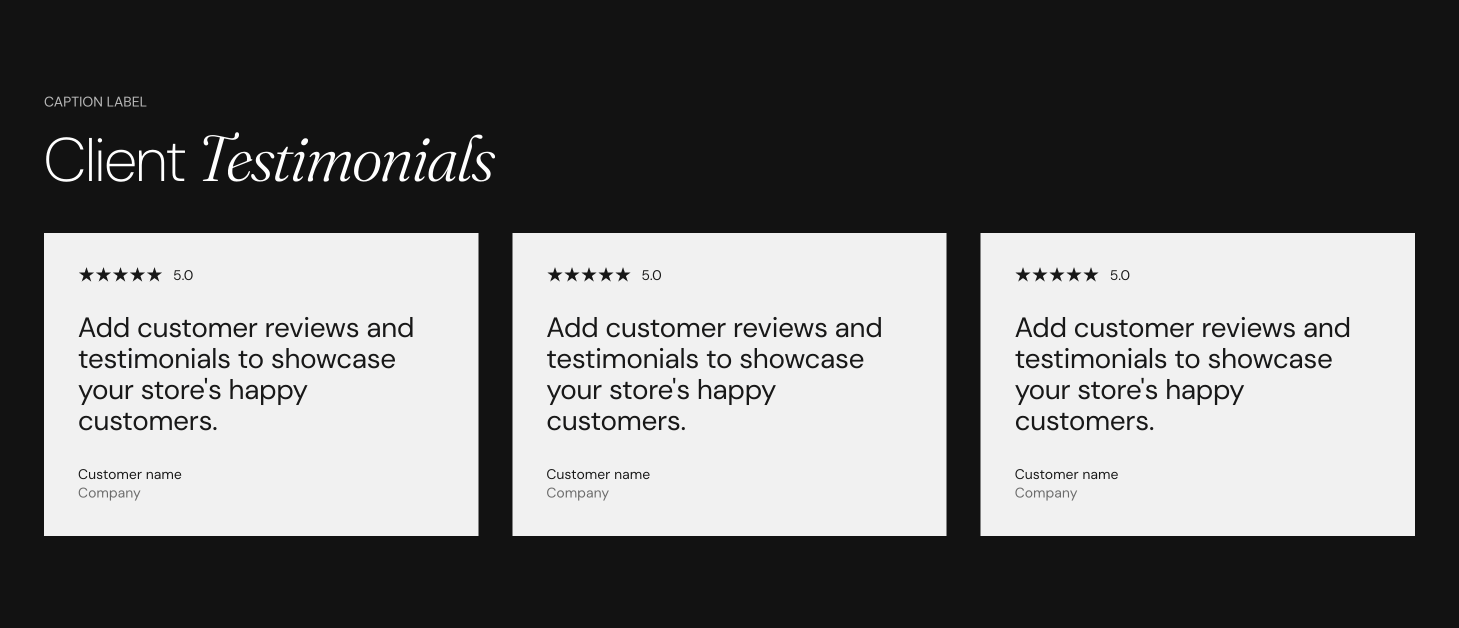
What it shows
Both presets add a section header and testimonial cards. Each testimonial card is a Card block that holds:
- A Content group block with a Star rating block and a Heading block. The Heading block holds the quote.
- A Testimonial author block with the author's name, subtitle and avatar.
The Testimonials section has no settings of its own. After you add it, it is a Custom grid section:
- Layout settings: Custom grid section.
- Section design and Cards arrangement: General section styling.
- The settings of each card: Testimonial card.
Testimonials: slider
- 3 testimonial cards with Layout set to Slider.
- Cards size Medium, one card at a time on mobile.
- The section header holds a Caption block and a Heading block.
Testimonials: editorial
- 4 testimonial cards with Layout set to Grid and Scatter cards on, so the cards sit at different heights.
- Cards size Medium, one card per row on mobile.
- The section header holds a Caption block, a Heading block and a Text block.
Adding another testimonial
Duplicate a card
In the theme editor, open the Testimonials section, then select Duplicate on an existing testimonial card. The copy keeps the Star rating, Heading and Testimonial author blocks.
Change the content
Select the blocks inside the copy and change the quote in the Heading block, the rating in the Star rating block and the name in the Testimonial author block.
Save
Select Save in the theme editor.
Can the Testimonials section show reviews from a reviews app?
No. Seventh does not support pulling reviews from a reviews app into the Testimonials section. You type each quote, rating and author in the theme editor. To show app reviews, add the reviews app's own app block or section instead, for example with the Apps section.
Related pages
- Custom grid section: the section that holds the settings of this preset.
- Testimonial card: the card this preset uses.
- Star rating block: the stars above each quote.
- Testimonial author block: the author name, subtitle and avatar.