Promotions section
The Promotions section in Seventh is a Custom grid preset of promo cards, as overlays on images or as separate cards.
Applies to: Seventh 4.0.0 and later. Added in: Seventh 1.0.0. Last checked: 2026-10-12 against Seventh 4.0.0.
The Promotions section shows a row of promotional cards, each with a heading and a button, on any page of the store. It is a preset of the Custom grid section, with the cards already filled in.
Where to find it: select Add section in the theme editor, then choose Promotions: overlays or Promotions: cards in the Promotions category.
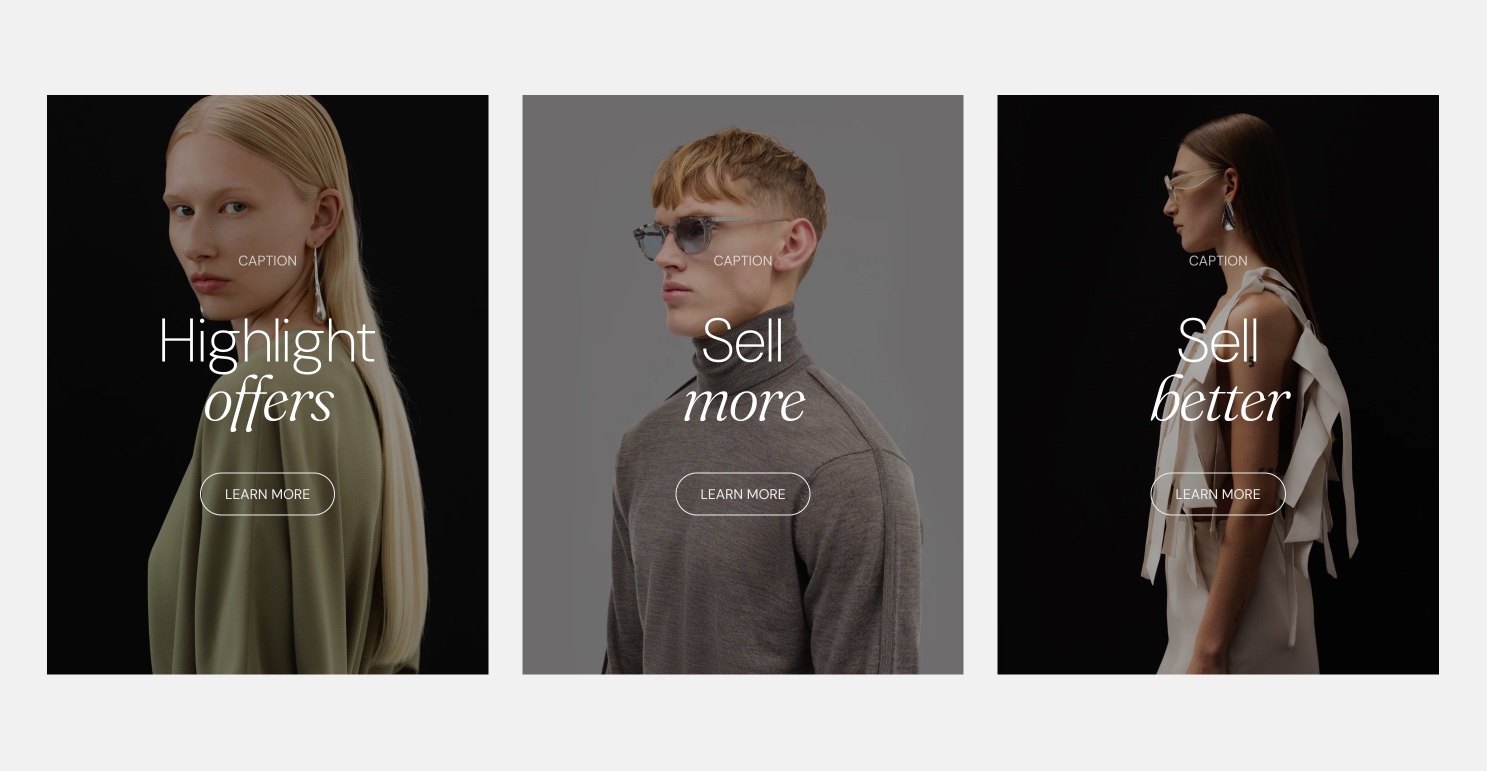
What it shows
The two Promotions presets add different card layouts. Both add:
- A section header on top.
- A grid of Card blocks, with Layout set to Grid.
Tip: Read about general section styling here: Seventh section general styles.
Promotions: overlays
This preset adds 3 cards in one row (Cards size Medium, 2 per row on mobile). Each card shows its text over a background image.
- Show media background is on, with a dark Overlay color (black at about 37 percent opacity), so white text stays readable.
- Inside each card: an Empty space block, a Caption block, a Heading block, a Button block and another Empty space block.
- Cards alignment is Stretch, so all 3 cards have the same height.
Select each card and choose a Background image under Background to replace the placeholder.
Promotions: cards
This preset adds 4 cards in one row (Cards size Small, 2 per row on mobile). Each card shows an image above its text.
- Inside each card: an Image block, then a Content group block that holds a Heading block and a Button block.
- The cards have no background media.
Select the Image block in each card to choose the image.
Settings and cards
The Promotions section has no settings of its own. After you add it, it is a Custom grid section:
- Layout settings: Custom grid section.
- Section design and Cards arrangement: General section styling.
The cards are Card blocks. Select Add block inside the section and choose Card to get the same layouts as presets of the Card block:
- Card blank, Image card and Promo card.
- Promo card: overlay (centered) and Promo card: overlay (bottom).
- Testimonial card and Shoppable media card.
All of them are the same Card block with different starting blocks and settings. The Card settings are on Blank card.
The Promo card is a different block. It is the card you place between products or collections inside the Collection grid, Featured collection and Collections list sections. The Promotions section uses the Card block instead.
How do I make a whole promotion card clickable?
Select the card, then enter a Link under Card link. The whole card becomes clickable, and the card link replaces the links of the blocks inside it. Turn on Open link in a new window to open the link in a new browser tab.
Related pages
- Custom grid section: the section that holds the settings of this preset.
- Blank card: the Card block and its Promo card presets.
- Promo card: the Promo card used inside collection grids.
- Button block: the button inside each promotion card.
Product comparison
The Product comparison section in Seventh shows a table that compares the products you choose, row by row: price, rating, metafields and more.
Rich text grid
The Rich text grid section in Seventh places rich text cards in a row, simple, complex or full width. This page lists its section settings.