Heading block
The Heading block of Local adds a title with a size, line height, color and SEO heading tag inside Flex sections.
Applies to: Local 4.2.1 and later. Added in: Local 2.7.0. Last checked: 2026-10-13 against Local 4.2.1.
The Heading block adds a title inside a Flex section card, slide or column, with its own size, line height, color and heading tag. It is a theme block.
Where to find it: Online Store → Themes → Customize → select a Flex section card, slide or column → Add block → Heading
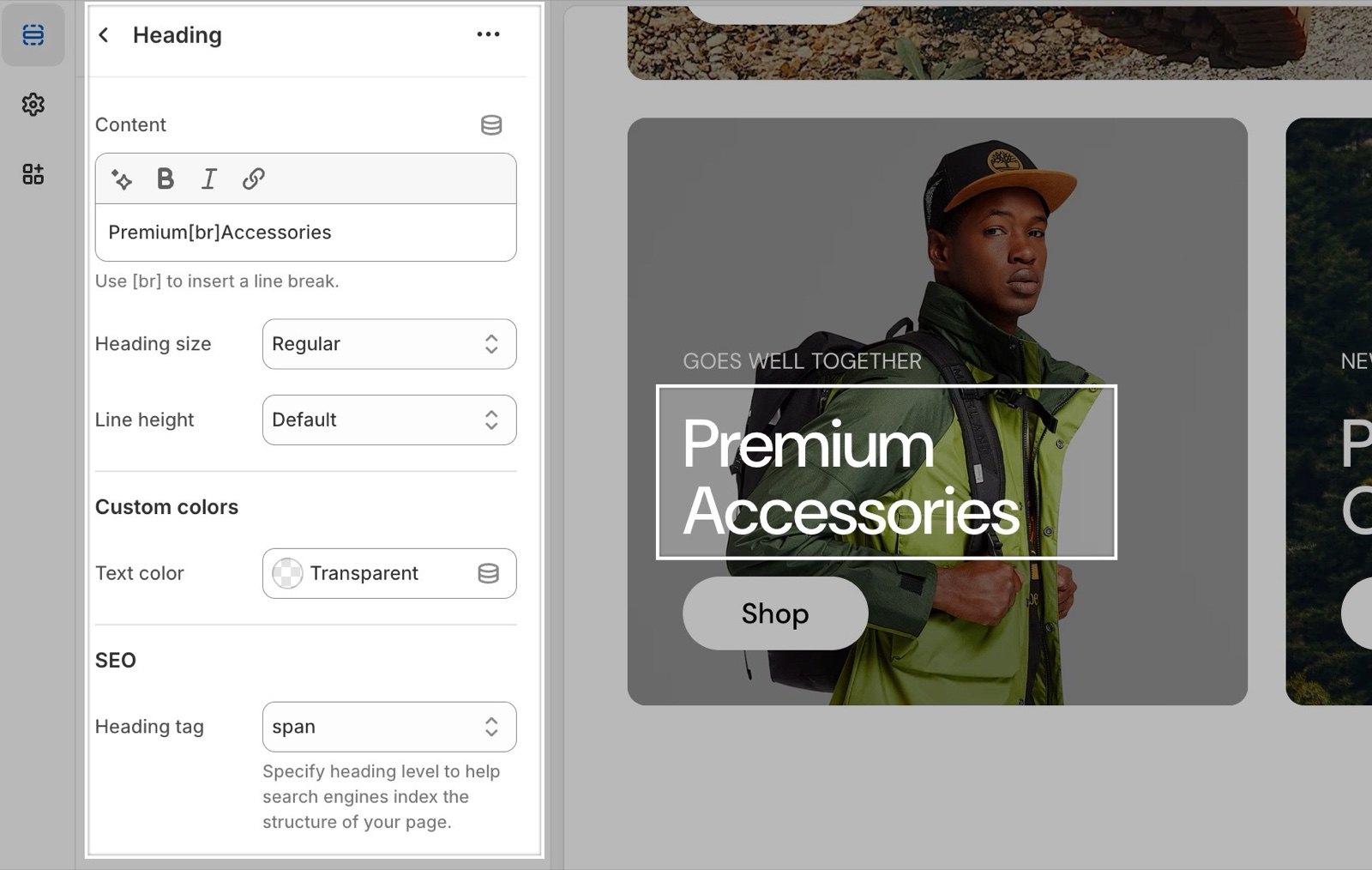
Content and size
- Content is the heading text. It accepts bold, italic and links. Type
[br]where the heading should break onto a new line. - Heading size sets the size, from Extra small to Extra large (default Large). The sizes are the theme's heading styles from Theme settings → Typography.
- Line height sets Default, Small or Medium spacing between the lines of a long heading.
Custom colors
Text color changes the color of this heading only. Leave it transparent to use the text color of the card or slide.
SEO
Heading tag sets the HTML tag (H1 to H5, or span), which tells search engines how important the heading is. It does not change the size: Heading size does that. The default is H3. Give the title of the first slide on the home page H1, and see General section styling for a heading structure that works.
How do I add a line break in a heading?
Type [br] in Content where the line should break, for example Premium[br]Accessories. The theme replaces it with a line break on the storefront. Pressing Enter does not work, because the field is a single line.
Why is my heading the wrong size for its tag?
Because the tag and the size are separate settings. An H1 can look small and a span can look large. Set the look with Heading size and the structure with Heading tag.
All Heading block settings
Every setting, with its type and default.
Content (formatted text, default: "Heading"): Sets the heading text. Type [br] where the line should break.
Heading size (dropdown, default: Large). Options: Extra small, Small, Regular, Large, Extra large.
Line height (dropdown, default: Default). Options: Default, Small, Medium.
Heading block: Custom colors
Where to find it: Heading → Custom colors
Text color (color, default: transparent).
Heading block: SEO
Where to find it: Heading → SEO
Heading tag (dropdown, default: H3): Sets the HTML tag of the heading for search engines. It does not change how the heading looks. Options: H1, H2, H3, H4, H5, span.