Local documentation
Documentation for Local, the Krown Themes Shopify theme for local stores: theme settings, sections, blocks, page templates, store selector and events.
What do you want to do today?
Type it in your own words. Pages that match appear as you type; press Enter for an answer from the docs.
Applies to: Local 4.2.1 and later. Added in: Local 1.0.0. Last checked: 2026-10-13 against Local 4.2.1.
This is the documentation for Local, the Krown Themes Shopify theme built for stores with physical locations: store pickup, a store selector, store maps and events. It describes every setting in the theme editor in Local 4.2.1, the current version on the Shopify Theme Store.
What is in these docs
- What is Local: what the theme includes, how to update it and the video guides.
- How Local is built: theme settings, sections with their own blocks, and Flex sections with theme blocks.
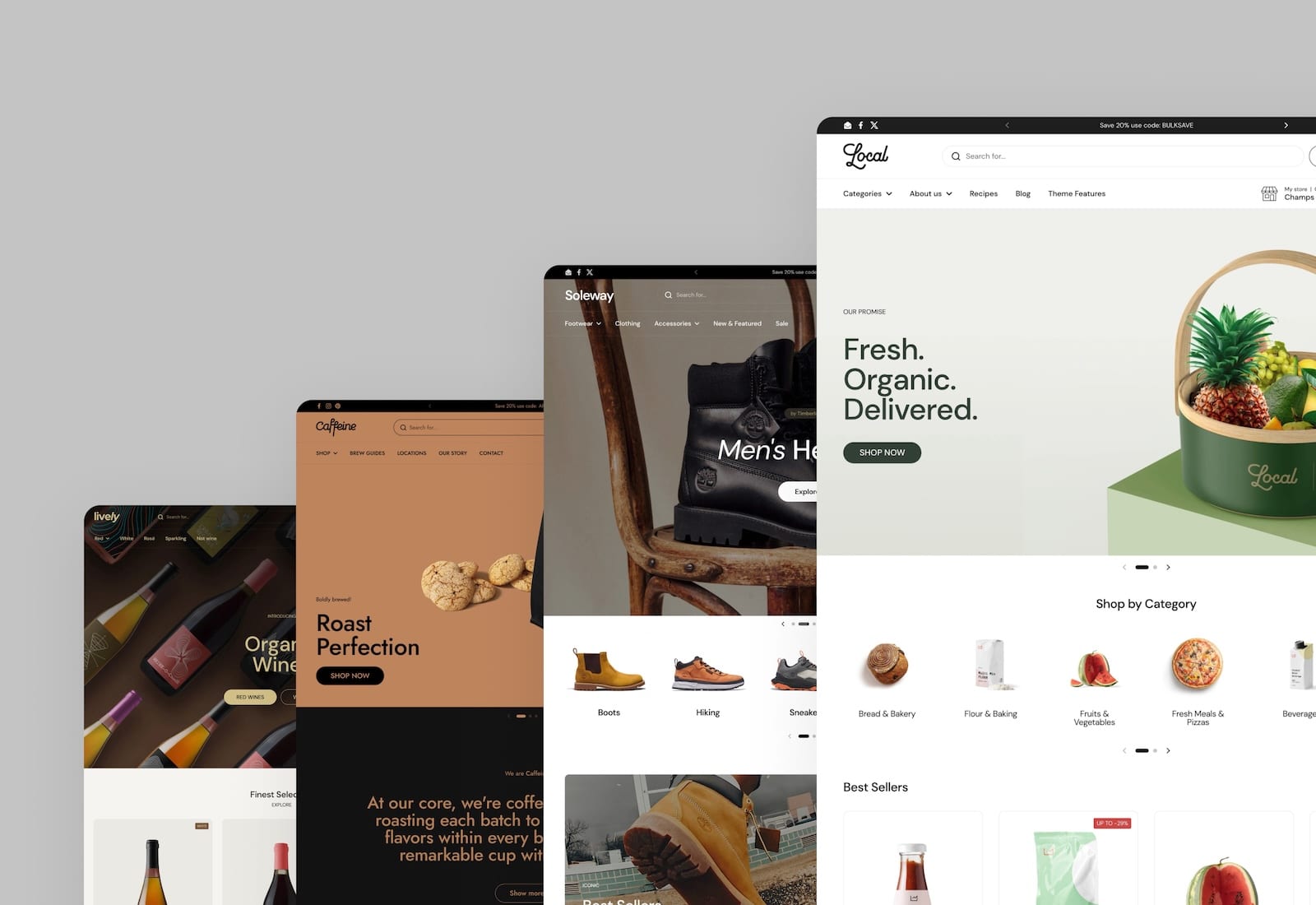
- Local presets: the five presets Local, Caffeine, Soleway, Lively and Thrive, and the videos that rebuild the demos.
- Layout theme settings and the other Theme settings pages: one page per group in Theme settings, from Layout to Social.
- Header section, Store selector section, Footer group and Popups section: the parts of the store that appear on every page.
- Sections: one page per section you can add with Add section, and a table of every preset.
- Product page and the other page templates: collection, comparison, search, blog, article, events, cart and more.
- Blocks: the theme blocks of the Flex sections.
- Local FAQ: answers to common questions and troubleshooting, phrased as questions.
- Custom CSS and code and Code tweaks: pages for developers.
- What's new in Local: every Local release, with its release notes.
Setting names are written exactly as the theme editor shows them, in bold, for example Enable dynamic map. Editor paths use arrows, for example Theme settings → Maps. Search for the label you see in the theme editor to find its page.
Features for local stores
Local has features that most themes do not have. Each one has its own page with the setup steps:
- Store selector section: customers choose their store and see pickup availability on product pages and product cards.
- Maps theme settings and the Stores map section: your stores on a Google map.
- Events calendar: events from blog posts, with dates, tickets and add to calendar links.
- Product comparison section: products side by side in a table.
- Product attribute blocks: nutrition tables, Nutri-Score, attribute meters and progress charts from metafields.
- Variant swatches: color and image swatches from metaobjects.
Where to start
Theme settings
Layout, typography, colors, product cards, cart and other store-wide settings.
Sections
Every section and preset you can add to a page.
FAQ and troubleshooting
Answers to common questions and problems.
Who do I contact?
Krown support answers questions about Local's settings and fixes theme bugs at contact.krownthemes.com. Changes that need custom code are not part of theme support: see Custom work and code changes.
Related pages
- What's new in Local: what changed in each Local release.
- Update Local: how to move to the latest version.