Blog page
The Main blog section of Borders sets the blog layout, tag filtering, posts per page and what each post card shows.
Applies to: Borders 3.1.0 and later. Added in: Borders 1.0.0. Last checked: 2026-10-13 against Borders 3.1.0.
The Main blog section shows the posts of a blog as cards, with tag filters at the top if you want them. Blogs and posts are written in Shopify admin; the theme sets how they look.
Where to find it: Online Store → Themes → Customize → Blogs → Default blog → Main blog
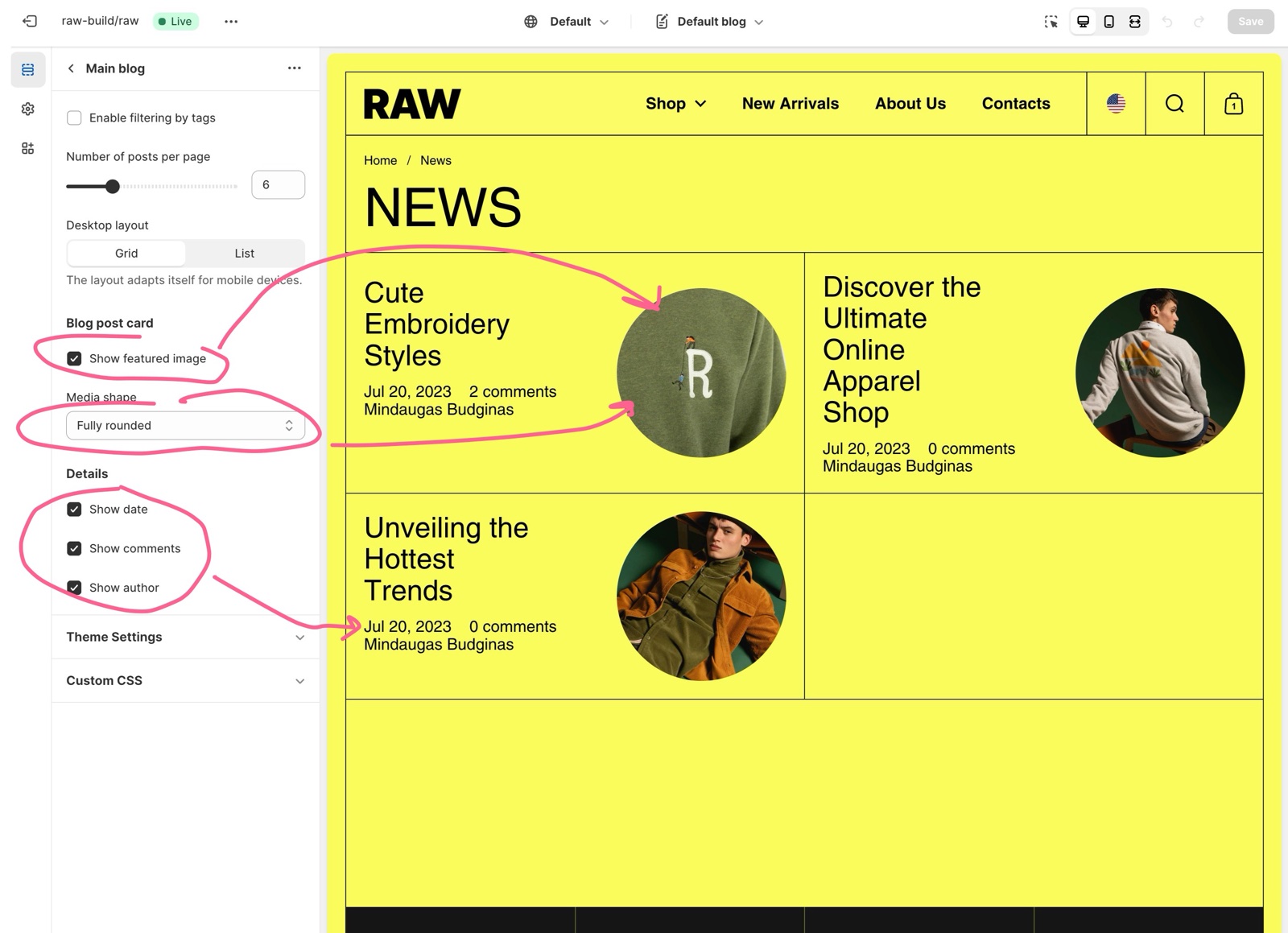
Layout
- Enable filtering by tags shows a button for each tag used in the blog, plus "All". Customers select a tag to see only those posts.
- Number of posts per page sets 4 to 12 posts per page.
- Desktop layout: Grid shows the posts as cards side by side; List shows one post per row. Mobile adapts automatically.
Blog post card
- Show featured image and Media shape set the image of each post.
- Details: Show date, Show comments (the number of comments), Show author and Show excerpt.
For a guide to blogs in Shopify, see Shopify's Blogs.
How do I show blog posts on the home page?
Add the Blog posts section to the home page and choose the blog. It shows the latest posts as a grid, list or slider.
All Blog page settings
Every setting on this page, with its type and default.
Enable filtering by tags (checkbox, default: off): Shows a button for each tag of the blog above the posts, so customers can filter them.
Number of posts per page (slider 4 to 12, default: 6).
Desktop layout (dropdown, default: Grid): Shows the posts as cards side by side (Grid) or one per row (List). Options: Grid, List.
Main blog section: Blog post card
Where to find it: Blogs → Default blog → Main blog → Blog post card
Show featured image (checkbox, default: on).
Media shape (dropdown, default: Fully rounded). Options: None, Top rounded, Right rounded, Bottom rounded, Left rounded, Fully rounded.
Main blog section: Details
Where to find it: Blogs → Default blog → Main blog → Details
Show date (checkbox, default: on).
Show comments (checkbox, default: on).
Show author (checkbox, default: on).
Show excerpt (checkbox, default: on).
Related pages
- Article page: the page of one post.
- Blog posts section: latest posts on any page.
- Page titles theme settings: the style of the blog title.