Search drawer section
The Search drawer section of Borders shows live search results as customers type, and a menu of featured links before they type.
Applies to: Borders 3.1.0 and later. Added in: Borders 1.0.0. Last checked: 2026-10-13 against Borders 3.1.0.
The Search drawer section is the search panel that opens when a customer selects the search button in the header. It searches the whole store and shows results while the customer types.
Where to find it: Online Store → Themes → Customize → Drawers group → Search drawer
Search results
- The drawer shows search suggestions, products, collections, pages and blog posts as the customer types.
- Pressing Enter opens the search page with all results.
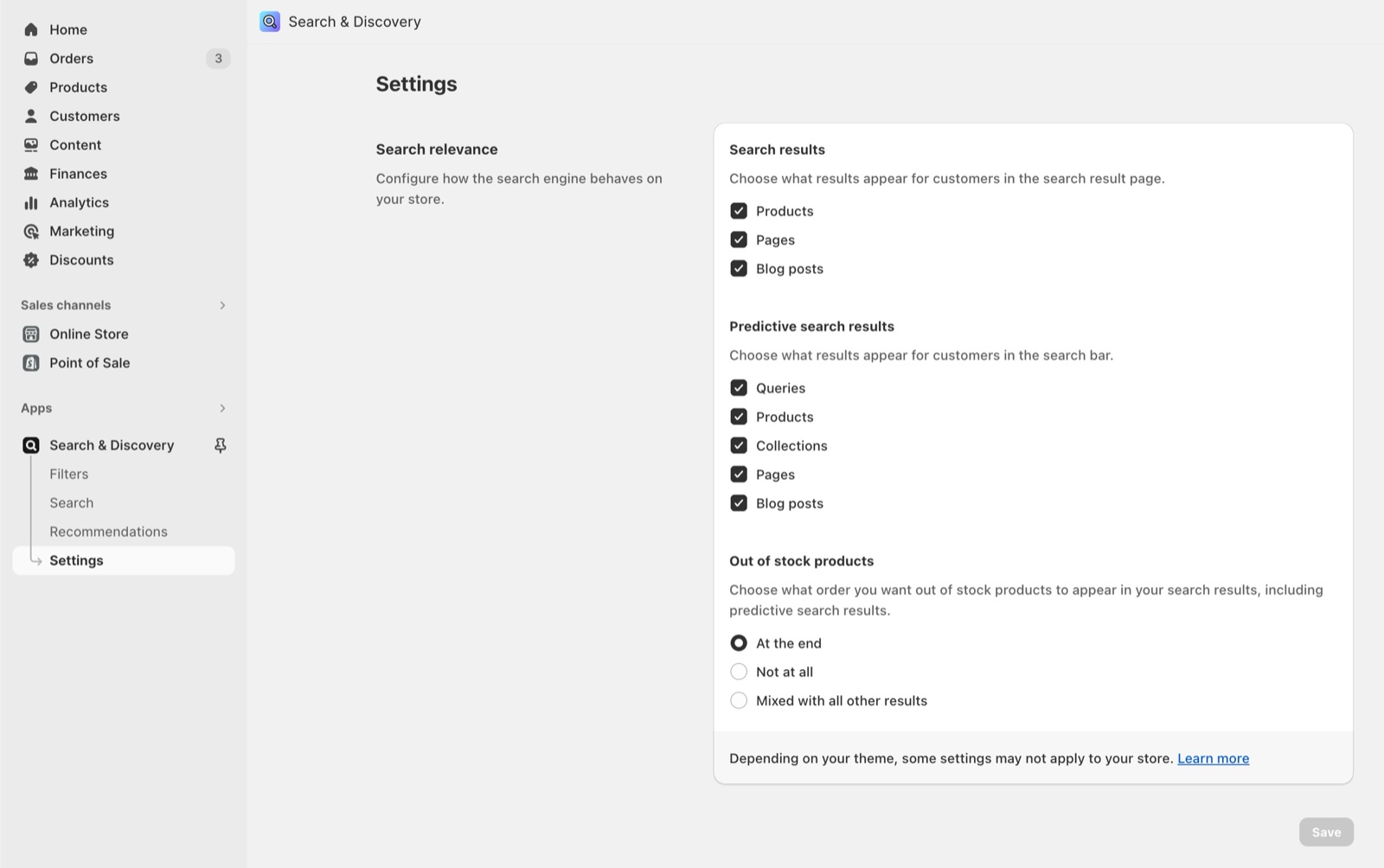
- Which results appear, and in which order, is set by Shopify. Configure it in the Shopify Search & Discovery app.
- To also find products by SKU, barcode or tag, turn on the options in Predictive search theme settings.
Featured links
- Featured links shows a menu in the drawer before the customer types anything. Use it to point customers to your main collections or pages.
- The menu shows its top-level links only; dropdown items are not shown.
- Show menu title shows the menu's name above the links.
How do I change what search finds?
Search is controlled by Shopify, not by Borders. Install the Shopify Search & Discovery app to set synonyms, boost products and choose the result types. In Borders, Theme settings → Predictive search adds SKU, barcode and tag to what the drawer looks through.
Why are sold-out products shown in the search results?
Shopify decides how out-of-stock products appear in search. In the Search & Discovery app, open Settings and change how out-of-stock products are ordered.
All Search drawer settings
Every setting on this page, with its type and default.
Featured links (menu picker): Sets a menu shown in the drawer before the customer types. Only the top-level links show.
Show menu title (checkbox, default: on): Shows the menu's name above the featured links.
Related pages
- Predictive search theme settings: search by SKU, barcode and tag.
- Search page: the full results page.
- Drawers group: the drawers' colors and borders.