Hide purchase buttons when local pickup is not available
A Local code tweak that hides the buy buttons when the product is not available at the store the customer selected.
Applies to: Local 4.2.1 and later. Added in: Local 1.0.0. Last checked: 2026-10-13 against Local 4.2.1.
Krown support does not provide help with custom code. Local's pickup availability lines are information only: they tell customers whether a product is in stock at the store they chose. This page is for developers who want to go one step further and hide the buy buttons when the product is not available at that store, or when no store is chosen yet.
What the tweak does
- On product cards and product pages that show a Compact pickup line, the Quick buy button and the product page buy buttons are hidden when the product is out of stock at the customer's store.
- They are also hidden while the customer has not chosen a store.
- Products available at the chosen store keep their buttons.
Customers can still buy the product. The real pickup and delivery choice happens at Shopify checkout, which the theme does not control. A customer who changes their preferred store, or adds the product to the cart another way, can still check out.
Why the old code is not published
The tweak in the older version of this article replaced the whole assets/component-pickup-availability.js file and added CSS to assets/theme.css. Against Local 4.2.1 that code is outdated:
- The 4.2.1 file works differently: it reads the first availability from data already on the page, finds the store selector by
store-selector[data-main-selector], refetches when the customer changes store and cleans up its listeners. The old code removes all of that. - On pages with a Stores map section, the old code picks the Stores map list instead of the store selector, so availability goes wrong.
- The old code also defines an Extended widget that Local no longer uses; the Extended style now lives in
assets/component-product-form.js. - The CSS classes the old CSS relies on (
product-pickup--unavailable,product-pickup--unselected) exist only in that old code, not in Local. assets/files are compiled from Local's source and replaced on every theme update.
A developer who builds this for 4.2.1 keeps the current file as it is and adds the class changes where the Compact line renders its result: available when the matched line is a success alert, unavailable otherwise, unselected when no store is chosen. Then the CSS hides .product-item__quick-buy (product cards) and .product-actions (product page) for the unavailable and unselected classes. That is custom work, see Custom work and code changes.
Before you start
Whatever code you use, the tweak only works where a Compact pickup line is on the page. Set these up first:
Set up the store selector
Create your stores as Shopify locations with local pickup, and add one Store block per location in the Store selector section, with matching names. See Store selector section.
Add the Compact line to product pages
In the theme editor, open Products → Default product → Product page, select Add block → Pickup availability and set Style to Compact. Repeat on every product template.
Add the Local availability block to product grids
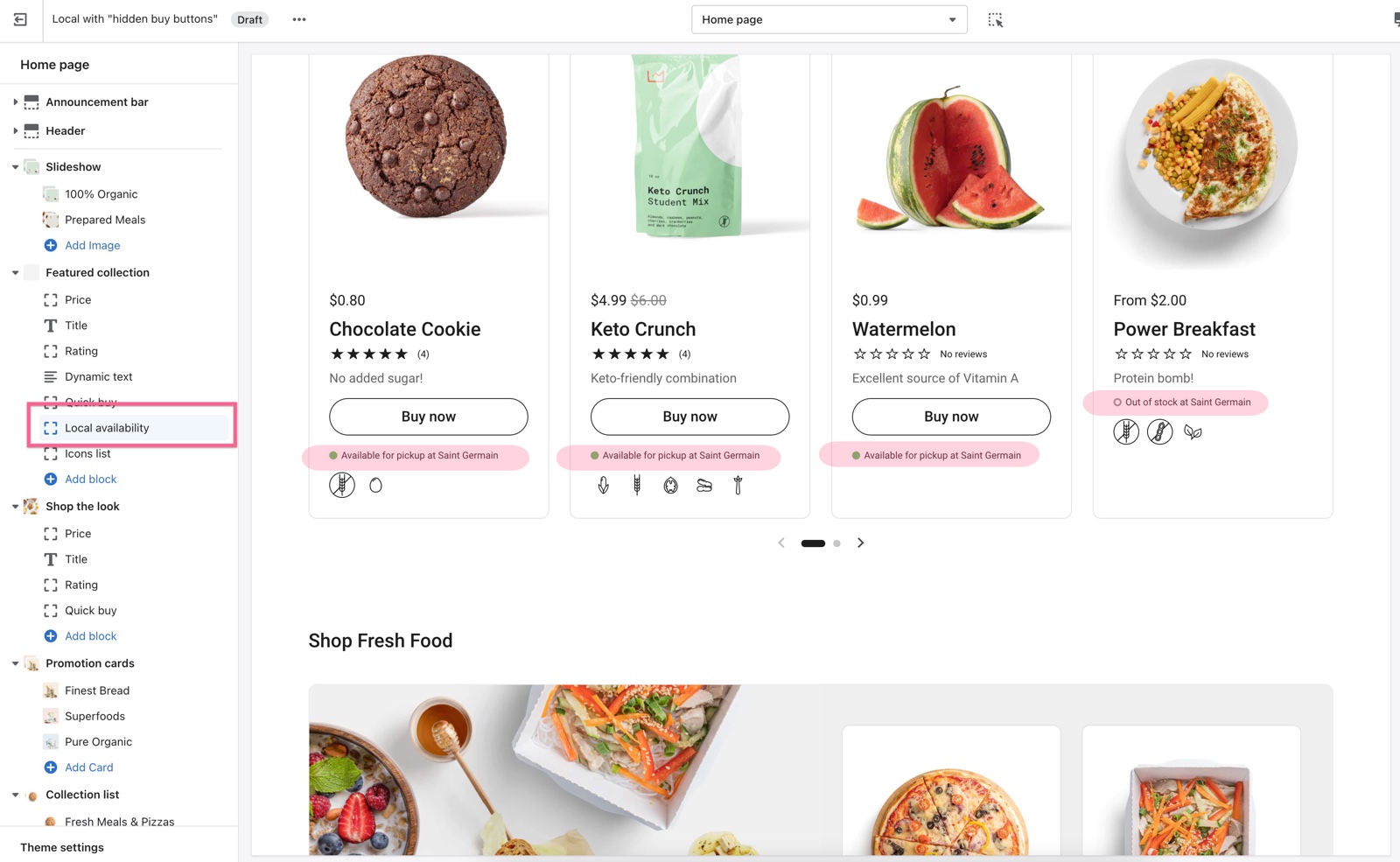
Open every section with product cards (Collections → Default collection → Product grid, Featured collection, Search results and the others) and select Add block → Local availability.
Can customers still buy the product?
Yes. Hiding the buttons changes only what customers see in the theme. Checkout is controlled by Shopify, not by Local, and customers choose pickup or delivery there. If you must stop orders for products a store does not have, use Shopify's inventory and local pickup settings, or an app.
Can Local hide the buy buttons without code?
No. Local does not support hiding purchase buttons by store availability with theme settings. Without code, the pickup lines inform customers, and checkout handles the rest.
Related pages
- Store selector section: stores, the header block and the availability lines.
- Product availability blocks: the Compact and Extended pickup availability styles.
- Custom CSS and code: where code can go, and what survives an update.
- Troubleshoot the store selector and maps: availability that looks wrong.
Custom fonts
Custom fonts in Local: add your own font files or a Google font with code, when the Shopify font library in Typography is not enough.
What's new in Local
What's new in Local: every release of the theme on the Shopify Theme Store, with its date and the release notes, grouped by major version.