Custom filters and search with Findter
Findter Custom Filter & Search adds custom collection filters and instant search to your store. Stores on a Krown theme get a discount with code LOCALFINDTER.
Krown themes show the filters you create in the Shopify Search & Discovery app. If your catalog needs more filters or a smarter search than Shopify offers, Krown recommends the Findter Custom Filter & Search app.
Where to find it: Shopify admin → Apps → Findter Custom Filter & Search, once the app is installed
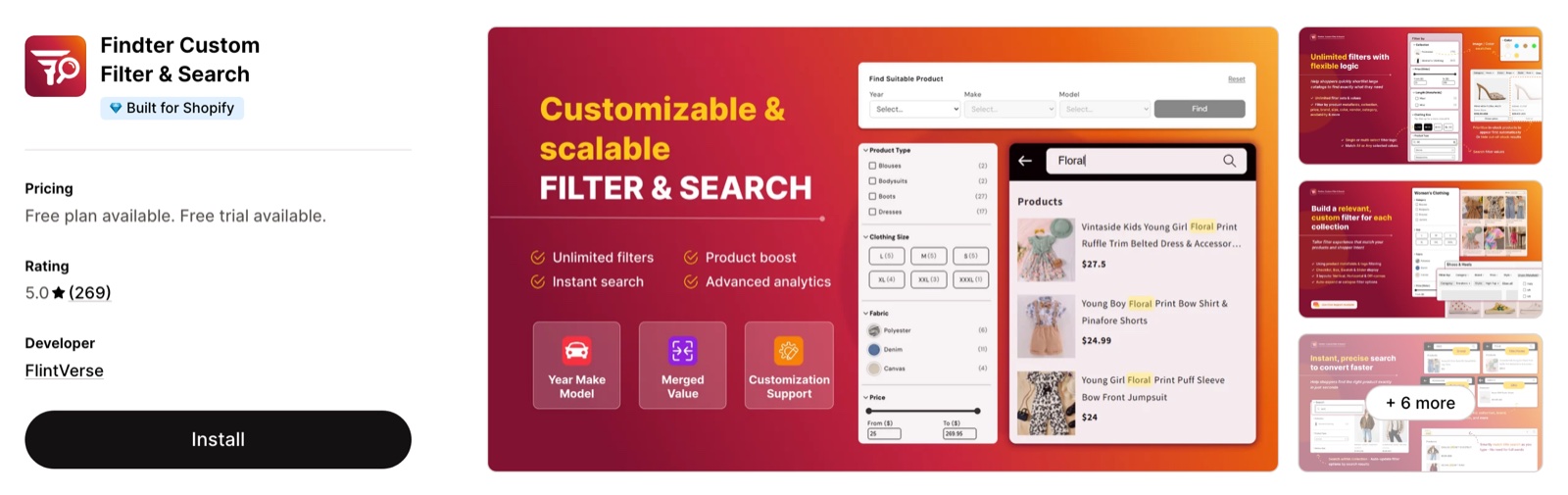
Offer for stores on a Krown theme
Save with code LOCALFINDTER
With a Krown theme you get 40% off the monthly plan for the first 3 months, or 25% off the yearly plan for the first year. Use the code LOCALFINDTER when you choose a paid plan.
Findter Custom Filter & Search on the Shopify App Store
The discount is an offer from FlintVerse, the developer of Findter, who sets its terms.
What Findter adds to your store
Findter is a filter and search app made by FlintVerse. The app has its own filters and search, which you set up in the app, not in the theme editor.
Filters:
- Unlimited filter sets, with a different set of filters for each collection.
- Filters by product details (availability, price, vendor, tags, collection), by variant (color, size) and by metafield.
- 3 filter layouts (vertical, horizontal, off-canvas) and 4 display types (checklist, box, swatch, slider).
- A sale filter, and the option to hide out-of-stock products or move them to the end of the results.
- Year, make and model search and merged filter values, which Findter turns on when you ask for them.
Search:
- Instant search across the fields you choose: title, SKU, description, tags, vendor, variants and metafields.
- Partial and synonym matching, so a customer finds a product without typing its exact name.
- Search Booster, which moves the products you choose to the top of search results and collections.
Also included:
- Auto Translate for filters and search in stores with several languages.
- Analytics for search terms and filter use.
- Free design help from Findter to match the filters to your theme.
Plans and prices
Findter prices its plans by the number of active products in your store. Every plan has the same features.
| Plan | Active products | Price |
|---|---|---|
| Free | Up to 300 | $0 |
| Starter | Up to 3,000 | $9/month |
| Growth | Up to 50,000 | $19/month |
| Pro | Up to 100,000 | $59/month |
- The paid plans have a 14-day free trial.
- Larger catalogs have higher plans. See Findter's pricing plans page.
- These are the prices on the App Store listing on 2026-11-16, before the discount. App prices change often: check the listing for the current plans.
Set up Findter
Install the app
Open Findter Custom Filter & Search on the Shopify App Store and select Install.
Create your filters and search
Open the app in Shopify admin → Apps. Create a filter set for your collections, then choose which product fields the search reads.
Choose a plan and use the code
A store with up to 300 active products stays on the Free plan. For a paid plan, choose monthly or yearly billing and use the code LOCALFINDTER.
Ask Findter to match your theme
Contact Findter through the live chat in the app. The Findter team adjusts the design of the filters to your theme at no cost.
Findter is made and supported by FlintVerse. For setup, design, billing or discount code questions, contact Findter through the live chat in the app.
Do I need Findter to show filters on my collection pages?
No. Every Krown theme shows the filters you create in the free Shopify Search & Discovery app. Findter is for stores that need more than those filters, such as a different filter set for each collection. See How do I set up collection filters?.
Is Findter free?
Yes, for a store with up to 300 active products. A larger store needs a paid plan, from $9/month. Draft and unpublished products do not count.
Related pages
- Shopify related FAQ: filters with the Shopify Search & Discovery app.
- Product review apps: review apps for Krown themes.
- Understand your store speed: how apps affect loading time.
- Troubleshoot store issues: first steps: when an app does not work as expected.
Subscription apps
Four subscription apps that work with Krown themes: Seal Subscriptions, Recharge, PayWhirl and Shopify Subscriptions, and which store each one suits.
Translate your store into multiple languages
Add languages to your Shopify store and translate the content and the theme texts with Translate & Adapt, T Lab or langify.