Assign several images to one variant
Show only the images of the selected variant with Rubik Variant Images, and link separate products as variants with Rubik Combined Listings.
Applies to: All Krown themes. Last checked: 2026-10-13.
Shopify links one image to each variant. If your products come in several colors or patterns, the Rubik Variant Images app lets you give each variant several images and show only those images on the product page.
Where to find it: Shopify admin → Apps → Rubik Variant Images, once the app is installed
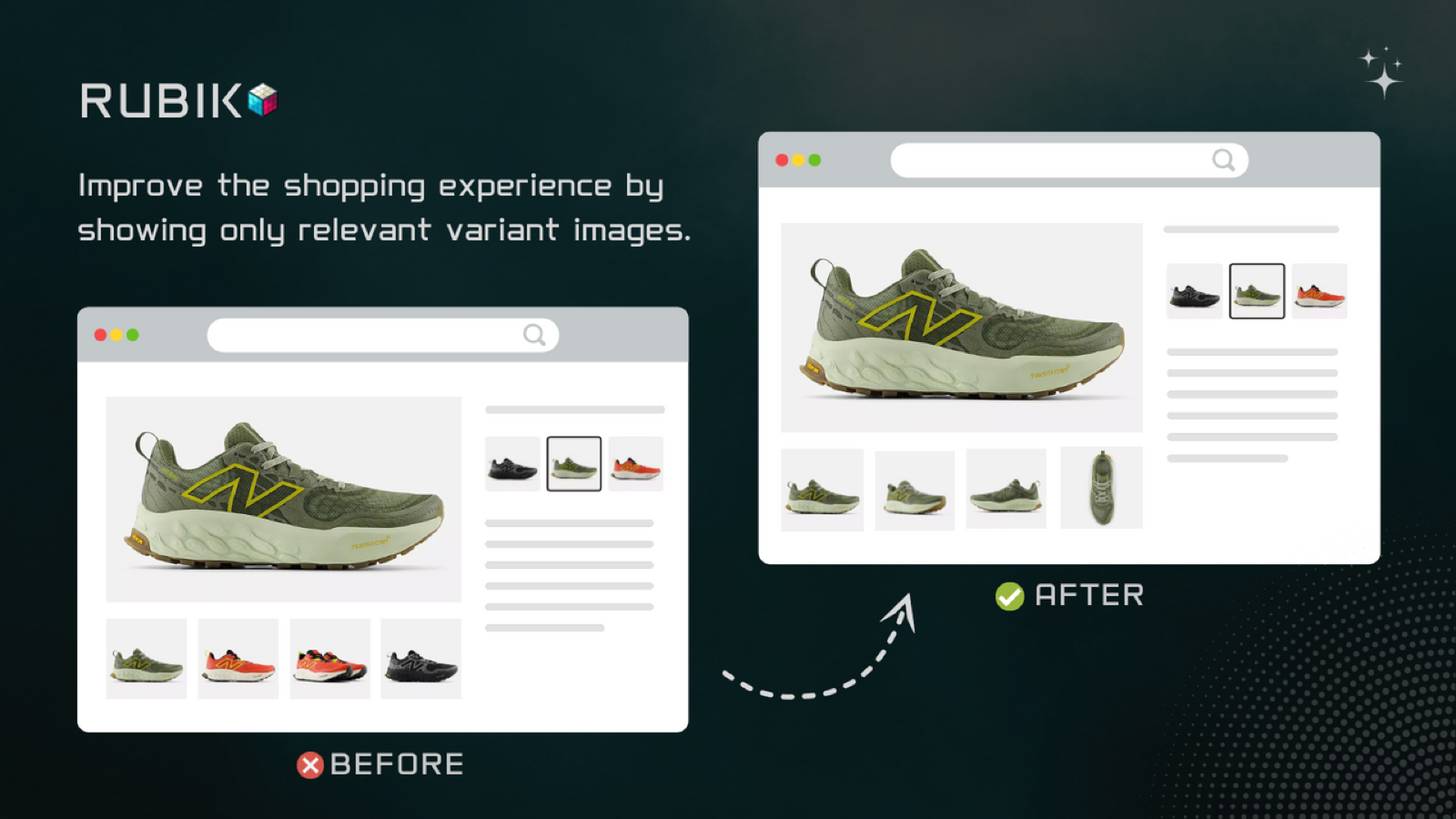
Show only the images of the selected variant
Rubik Variant Images groups your product images by variant:
- Assign several images to each variant, such as every photo of one color or pattern.
- Customers see only the images of the selected variant, so the gallery stays short and relevant.
- The app works inside Shopify admin and has live support for setup questions.
Rubik Variant Images on the Shopify App Store
Link separate products as variants
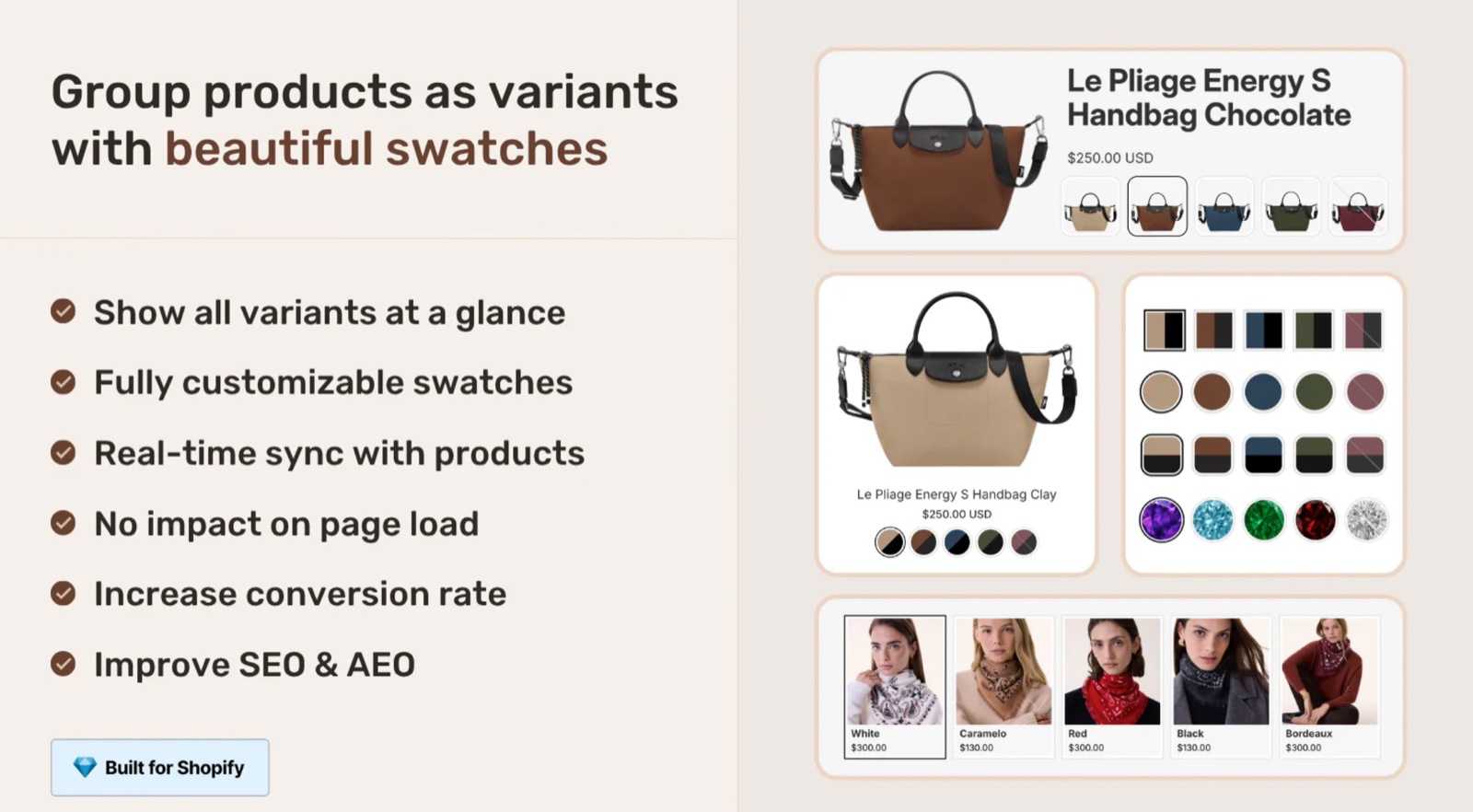
Some of our themes (Seventh, Local, Combine, Borders) give you the ability to link different products by variants with the Product siblings block.
For the other themes, or to link products in another way, Krown recommends Rubik Combined Listings Swatch:
- Groups separate products as variants, with image or color swatches on the product page and on product cards.
- Creates the product groups in bulk.
- Keeps product information and stock in sync.
Rubik Combined Listings Swatch on the Shopify App Store
See Product siblings for the Seventh block.
Can Shopify show several images per variant without an app?
No. Shopify lets you link one media item to each variant, and the product page shows all the product's images. To show a group of images per variant, use an app such as Rubik Variant Images.
Related pages
- Show variant metafields on the product page: other variant-specific content.
- Bulk edit your products: change many products at once.
Use dynamic sources for unique product pages
Give products their own content with product templates, metafields and dynamic sources, so not every product page shows the same sections and text.
Bulk edit your products
Change prices, tags, inventory and metafields of many products at once with Shopify's bulk editor, a CSV file or the Ablestar Bulk Product Editor app.